40,000
is where the built-in export stops
And it always grabs the most recent ones, with no way to pick a date range. A five-year chat loses most of its history.
WhatsApp chat backup & export · Chrome extension
WhatsApp's own export stops at 40,000 messages, leaves your media behind and hands you a text file nothing can open properly.
WaCopy takes the whole conversation straight from WhatsApp Web — every message, every photo, every voice note — and gives you files you can actually read, search and print. It takes one click, and nothing ever leaves your browser.
The problem
These are the four walls people hit when they try to save a WhatsApp conversation. WaCopy exists because of them.
One click, six files
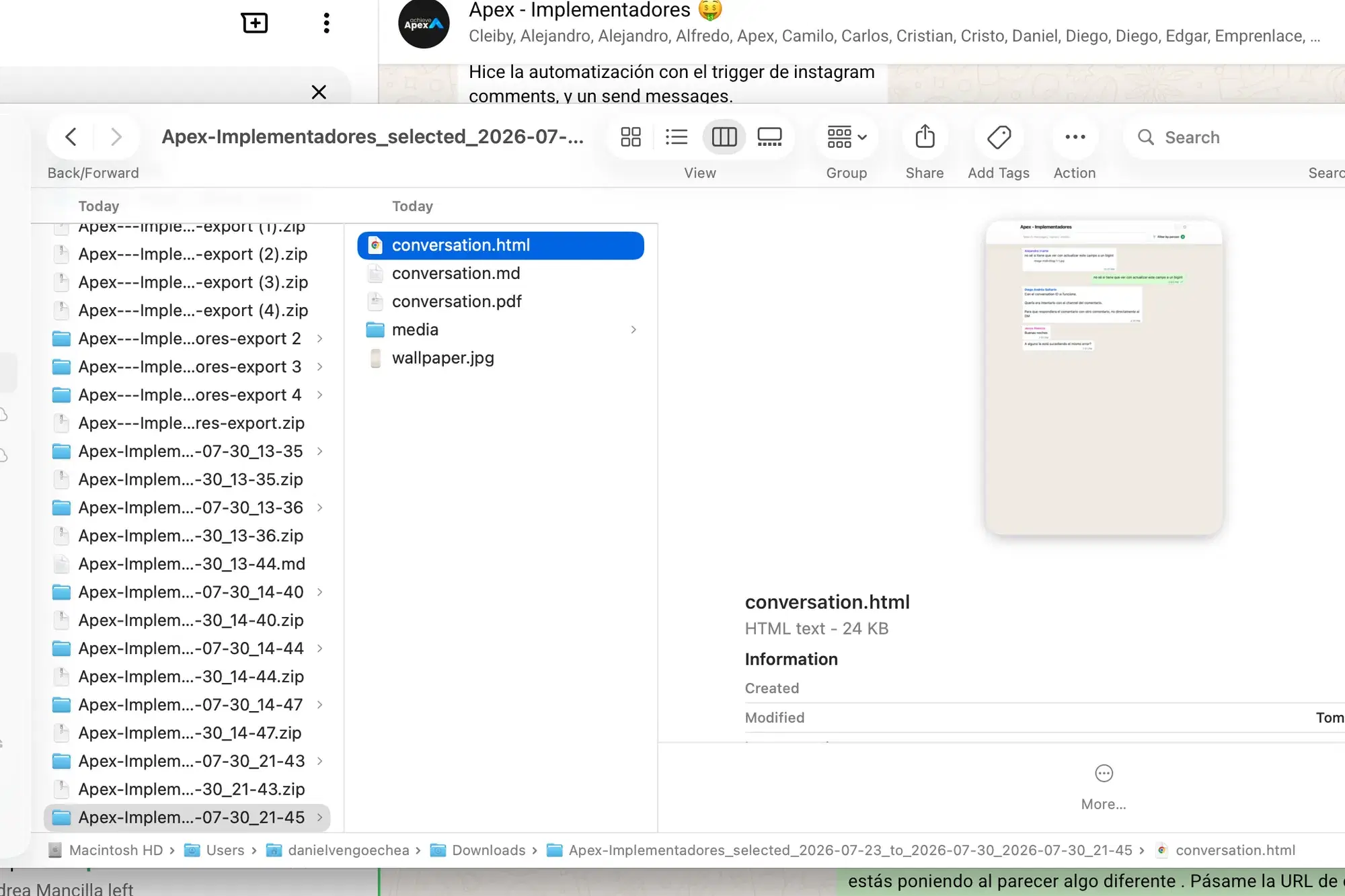
Every export writes all six formats into one ZIP, alongside a media/ folder with your photos and voice notes. Open the one that fits the moment.
conversation.html
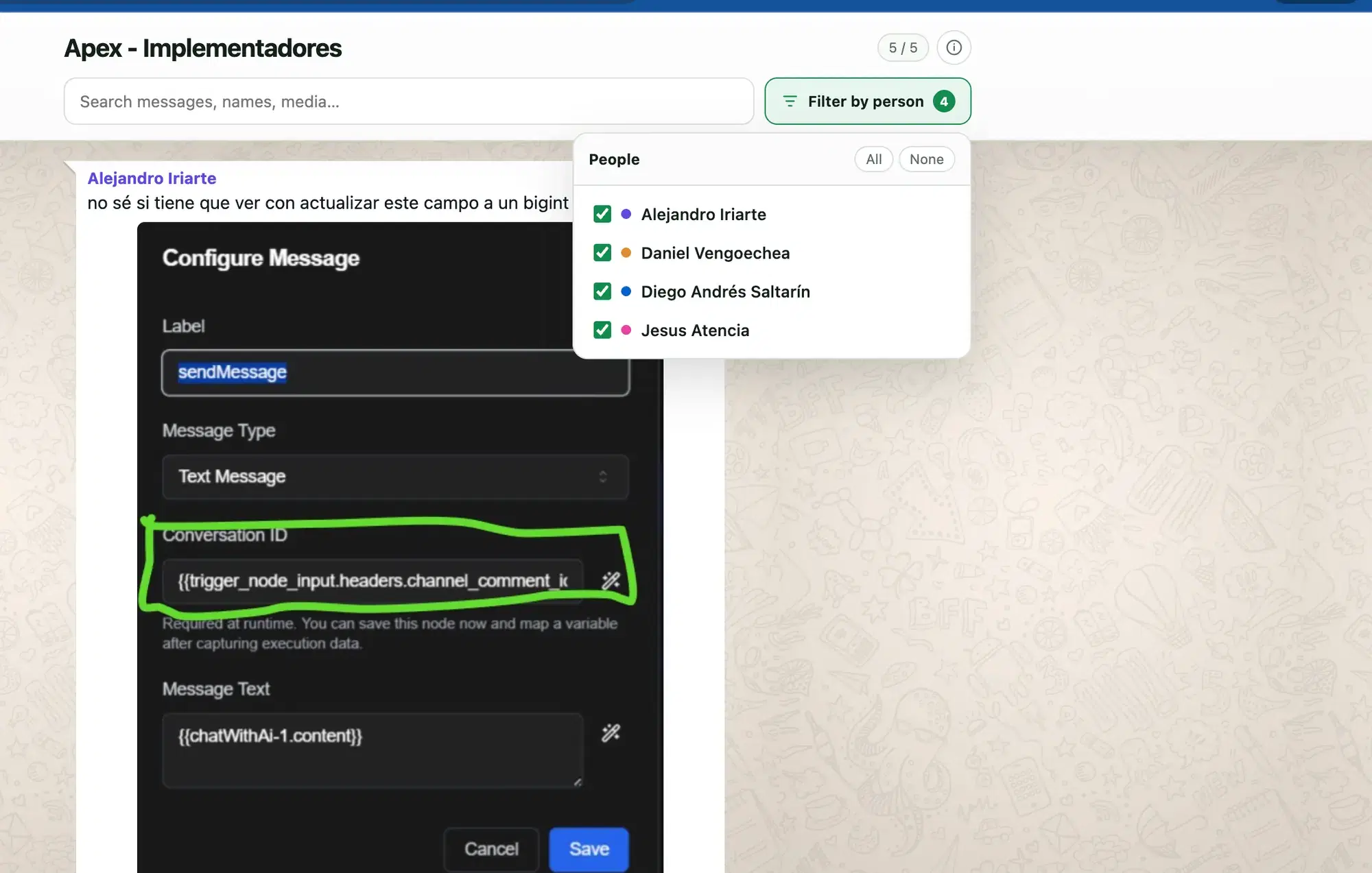
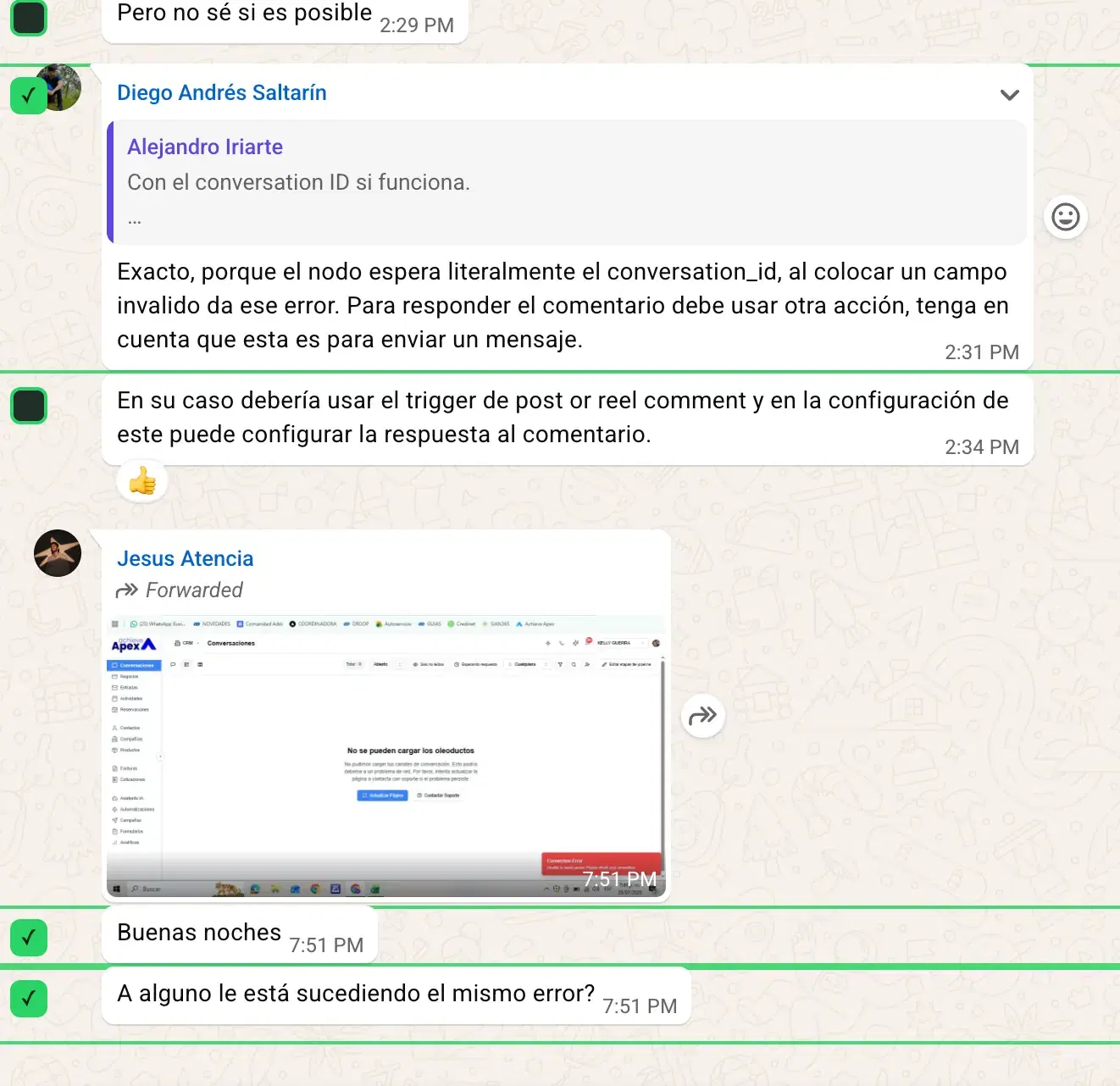
Your chat, looking like the chat, in any browser. Search every word, filter by person, click any photo to enlarge. Works offline, forever.
conversation.pdf
Every message in order, with names and timestamps intact. The version you attach to an email or take to an appointment.
conversation.csv
One row per message, columns for sender, time and text. Sort it, filter it, pivot it, count who said what.
conversation.md
Clean Markdown that any AI, notes app or wiki reads without complaining. Ask it to summarise six months of a group in a paragraph.
conversation.json
Structured messages with authors, timestamps and media references. Feed it to a script, a database or your own tool.
media/
Images, videos, voice notes, documents and stickers saved next to the transcript — not lost as a grey [Image] placeholder.
The interactive reader
This is the part nobody else gives you. Every export includes a single HTML file that opens like the conversation itself — bubbles, names, colours, timestamps, read receipts — and adds the things WhatsApp never had.
Instant full-text search across the whole conversation, names and media captions included. A live counter shows how many matched.
Everyone in the chat gets a colour and a checkbox. Tick one name and the group goes quiet — only they are left.
Media sits inside the bubble where it was sent, exactly as you remember it. No untouched filters, no compression, no watermark.
It's a single HTML file on your disk. Email it, put it on a USB stick, open it in ten years. Nothing to log into.
The exported conversation.html — search, people filter and a live match counter, all in one offline file.
You decide how much
Five ways to choose what goes in — because "everything since 2019" and "that argument last Tuesday" are not the same job.
How it works
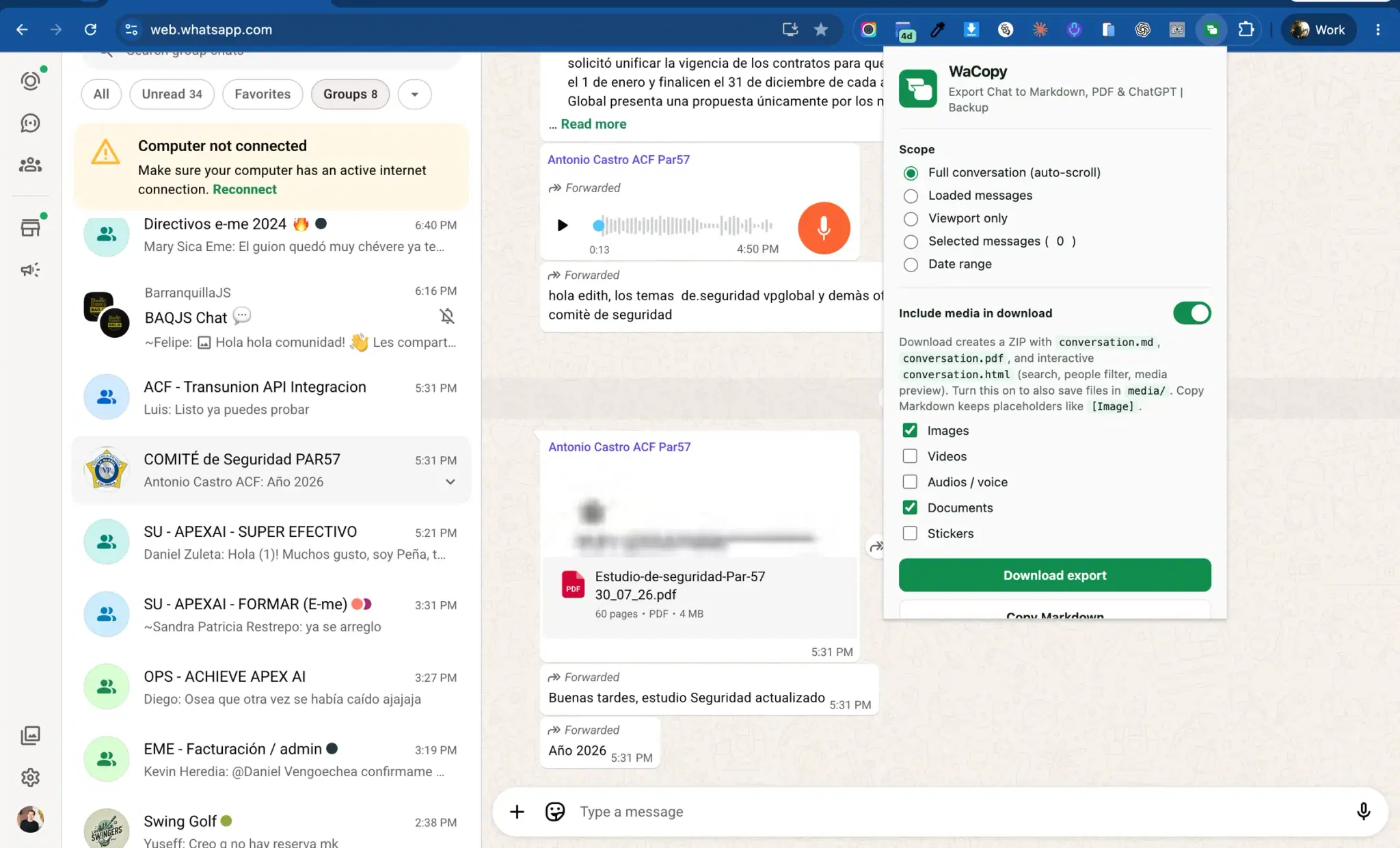
Step one
The same session you already use on your computer. WaCopy reads what is on the page — it never signs in as you.
Step two
Full history, a date range, or just the messages you ticked. Then choose which kinds of media to save.
Step three
A live counter shows messages and media as they're collected, and you can cancel at any moment. Then the ZIP lands in Downloads.
Long chat? A five-year group takes a few minutes to scroll. The counter keeps moving so you know it's working, and Cancel is always one click away.
Add to Chrome — freeCompare
The honest version. Where the alternatives are fine, we say so.
| WhatsApp's built-in export | Most other extensions | WaCopy | |
|---|---|---|---|
| How far back it goes | ~40,000 most recent messages | Varies — often silently truncated | Auto-scrolls to the first message ever sent |
| Pick a date range | No | Sometimes | Yes — plus tick individual messages |
| Photos, video, voice notes | Only for short exports, then dropped | Often a paid add-on | All of it, in a media/ folder |
| What you end up with | One .txt file | HTML or CSV, usually one at a time | PDF, Markdown, HTML, CSV, JSON and TXT together |
| Can you actually read it | A .txt that freezes Notepad and Word | A plain table of rows | A chat-style page with search and people filter |
| Where your messages go | Out through your email inbox | Some upload to their own servers | Nowhere — it stays in your browser |
| Needs your phone | Yes | No | No |
| Price | Free | Licence key, often with no free trial | Free — no key, no card |
Privacy
This isn't a promise about how carefully we store your data. There is nowhere to store it. WaCopy has no backend: it reads the page you already have open and writes files to your own Downloads folder. That's the whole architecture.
What people use it for
The landlord admitted the leak. The client agreed the price. Save the whole thread with dates and names, not a screenshot someone can question.
A lawyer, an insurer, HR, an accountant. Send one PDF they can read in order, plus the full HTML file if they want to search it themselves.
Years of messages with a parent, a partner, a friend who's gone. Photos and voice notes included, in a file that doesn't depend on an app still existing.
800 messages in the work group this week. Export as Markdown, paste it into ChatGPT or Claude, and ask what you actually need to answer.
Reviews
“I'd tried three other extensions. Two wanted a licence key before showing me anything, one got stuck on 'Preparing to download' forever. This one just… did it, first try, whole chat.”
“Six years with my mum, 60,000-something messages. WhatsApp's own export gave me the last two years and no photos. This gave me all of it, with her voice notes.”
“The HTML file is the killer feature. My solicitor asked for the conversation and I sent one file she could search herself instead of 180 screenshots.”
“Didn't ask me to sign up, didn't upload my chat anywhere, didn't ask for money. I checked the permissions twice because I didn't believe it.”
Placeholder quotes — swap these for real Chrome Web Store reviews before launch.
Coming next
The four things people ask for most. Not shipped yet — listed here so you know where this is going.
In progress
One click, your entire WhatsApp — every conversation exported into one folder instead of doing them one by one.
Next
Export the participant list of a group — names and numbers — as a spreadsheet you can work from.
Next
CSV opens in Excel today. A real .xlsx with typed columns and one sheet per person is on the way.
Exploring
Pick the chats that matter and have a fresh copy saved every week, without remembering to do it.
FAQ
Open web.whatsapp.com in Chrome, open the conversation, click the WaCopy icon and press Download export. You get a conversation.pdf with every message in order, names and timestamps intact — plus the Markdown, HTML, CSV, JSON and TXT versions of the same chat in the same ZIP. You never have to pick a format up front.
Yes. WhatsApp's built-in Export chat caps out around the 40,000 most recent messages and gives you no way to choose which ones. WaCopy works differently: it reads the conversation from WhatsApp Web and scrolls it all the way to the first message, collecting as it goes. There's no ceiling — a long group just takes a few minutes, and a live counter shows you the messages piling up.
Yes. Turn on Include media and tick what you want: images, videos, audio and voice notes, documents, stickers. Everything lands in a media/ folder next to the transcript, and appears inline in the HTML reader — untouched, no compression, no watermark. Prefer text only? Leave it off and media becomes a tidy [Image] placeholder that keeps the conversation in order.
Both. Pick a From and To date to get exactly that window, or switch to Selected messages — a checkbox appears beside every bubble in WhatsApp Web, and only the ones you tick go into the export. There's also Loaded messages and Viewport only when you just need a quick grab of what's on screen.
This is the part most tools ignore. A plain .txt export of a long conversation lags Notepad and makes Word and Google Docs choke or cut it off. That's why every WaCopy export also includes conversation.html: open it in any browser and it looks like the chat itself, with instant search across every message, a filter to isolate one person in a busy group, and click-to-zoom photos. One file, no internet needed.
No. There's no account, no sign-in and no server behind WaCopy. It reads the WhatsApp Web page already open in your browser and writes files straight to your Downloads folder. The extension only has permission to run on web.whatsapp.com — nowhere else. We cannot read your messages, because they never reach us.
Neither. WaCopy works with the WhatsApp Web session you already have open in Chrome, on Windows, macOS, Linux or ChromeOS. You don't email a file to yourself, you don't install anything on your phone, and you don't move anything between devices.
People do, and the reason is context. A single screenshot shows one message, and the first question anyone asks is what was said before and after it. WaCopy exports the complete conversation in order, with sender names and timestamps preserved, so the thread speaks for itself. What counts as acceptable evidence depends entirely on where you are and who's asking — check with a professional rather than taking our word for it.
Yes — install it and export as much as you like, with no licence key, no trial countdown and no card. If a paid tier ever arrives it'll be for heavy, automated use, and everything described on this page stays free.
No. WaCopy is an independent tool that helps you keep a copy of your own conversations. It isn't endorsed by, affiliated with or connected to WhatsApp or Meta in any way. WhatsApp is a trademark of WhatsApp LLC.

Free, no account, nothing uploaded. Install it, open the chat you care about, and press one button.
Chrome, Edge, Brave and Opera · Windows, macOS, Linux, ChromeOS